In previously article I’ve covered what is DAC package and how it helps during deployment. In this article I’m going we are going to see how can we create a new data tier application (DAC) package for deployment. All SQL Server related objects can be included in this package for deployment, this includes both database and server level objects. You can create DAC package through any of the following methods
-
Using SQL Server Data Tier Application project in Visual Studio 2010 and above
-
Extract DAC package from existing SQL Server Database
Using DAC project in VS 2010
This method gives you all the options for DAC to customize & deployment. To create DAC package in VS 2010 follow the steps below
-
Open Visual Studio 2010
-
Go to Database Project’s and select SQL Server, in the right hand pane you can see DAC project. Select it and click ok to create new DAC project as shown below
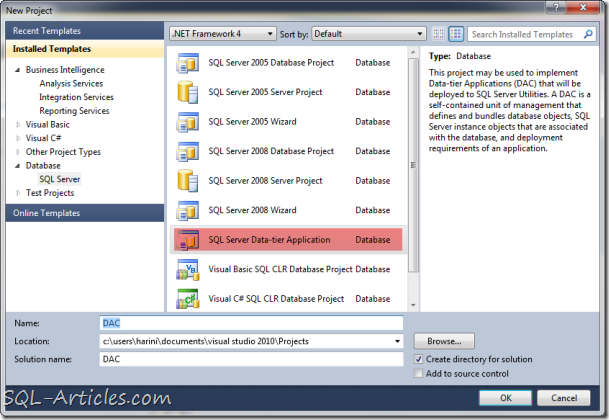
-
Once the new project open’s you can find all the elements of DAC as shown below. You can find element description in my previous article “Data Tier Application”
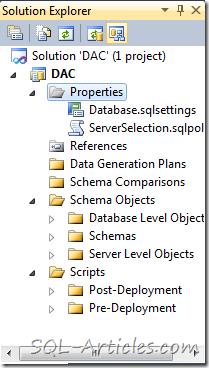
-
I’m going to edit the properties of the package as shown below. Double click on the properties it will shown all the properties of DAC package. In this example I’ve named this package as DAC and kept the version to default, you can modify all those information according to your project.
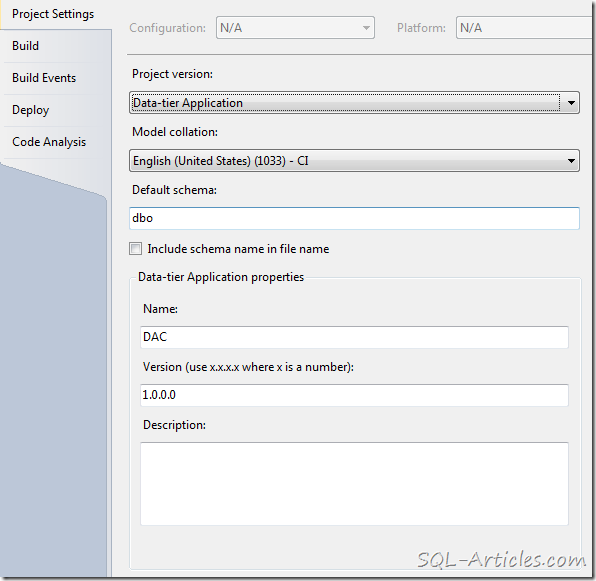
- DAC also provides you to set the database property and you can also enforce some policies before deployment so that all pre-checks will be done. In this example I’m going to enforce Edition check, i.e if the edition of SQL Server is Enterprise then deploy else don’t deploy as shown below
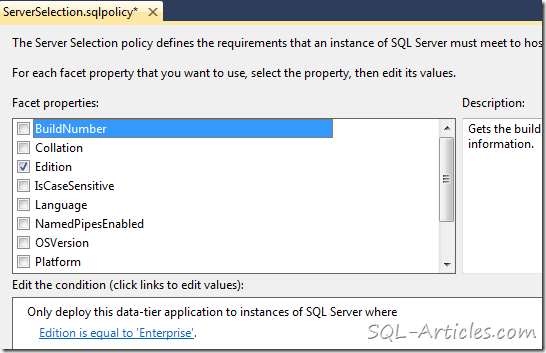
- Now you can add database and server level objects. Just expand “Schema Objects” folder there you can find option to create database and server level objects. In addition to this you can add pre and post deployment scripts. This will be T-SQL script where you can add your customized script to execute before and after deployment. In this example I’ve added a table and a stored procedure
- Once you are done with creating the package you need to build it to create the DAC package as shown below.

Extract DAC package from Existing database
This method is very easy to build the package and helpful to convert existing database structure and it’s related object to a DAC package. This method doesn’t require VS 2010 you can perform this option through SSMS itself, you can find the list of supported SQL Server version my article “Data Tier Application”
- Connect to SQL Server Database engine using supported SSMS
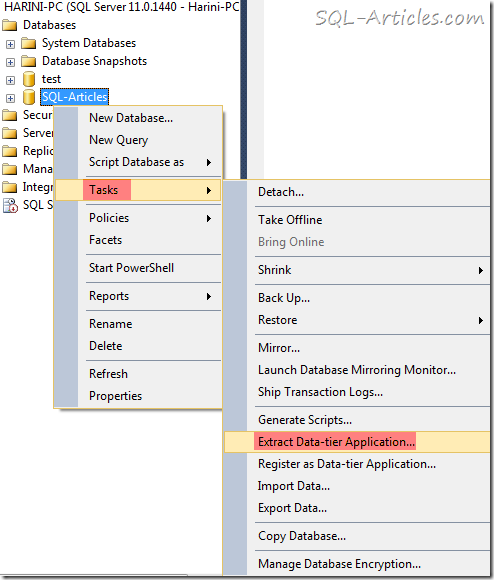
- Right click on the database then click on “Tasks” and then click on “Extract Data-tier Application” to initiate DAC package creation
- Once you have clicked, DAC extraction window gets popped us as shown below
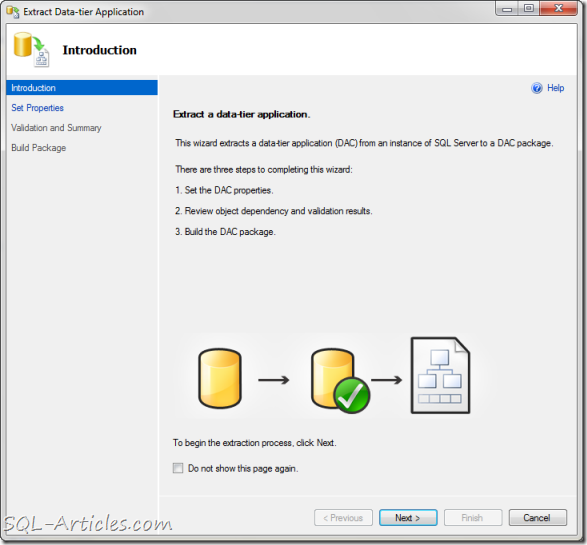
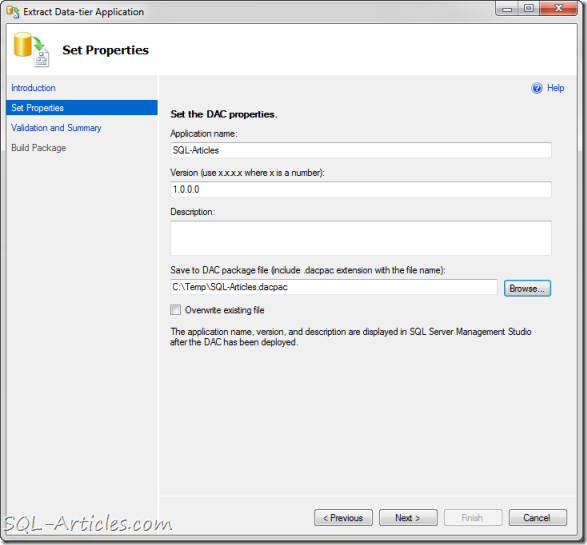
- After you read the introduction click on next to set the properties of DAC as shown below. You can set the application name, version, description and the path to save the DAC package, you also got an option to overwrite the existing package . Once you are done click next
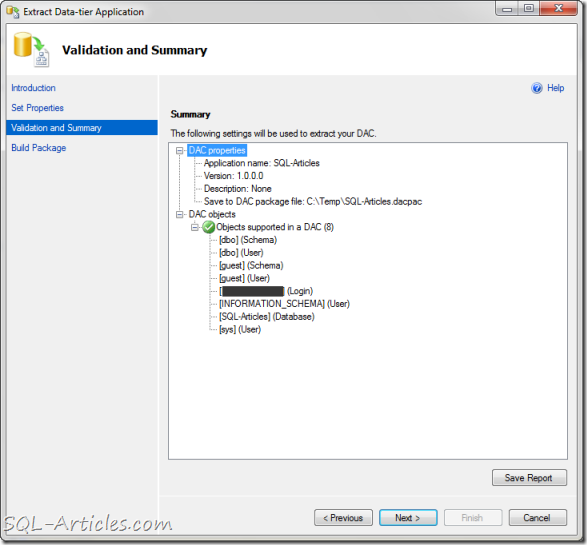
- Now SQL Server will validate the supported objects in that database for adding it in package. After validation SQL Server will provide the list of objects that are going to get added to the package as shown below
- Now you are good to go for creation the package, now click on Next to create the package as shown below
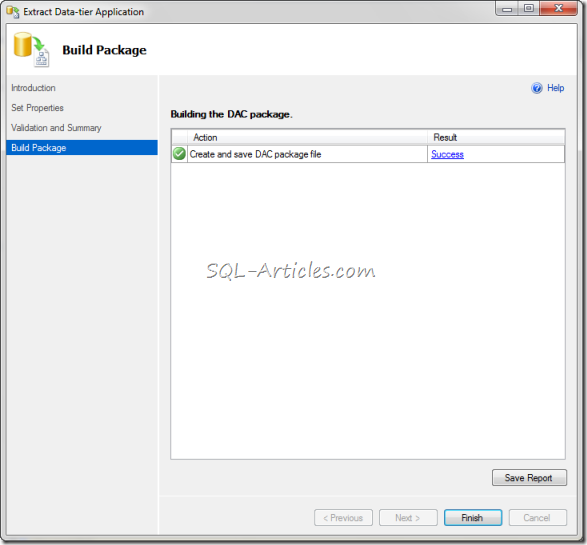
That’s it you are done with creating the package now you can edit this package in VS2010 for modifications or you can extract the details too. Thus this feature is really helpful for the developers during deployment, they can just build it and give it to the DBA as a single package for implementation.

Leave a Reply