We have 3 types of file extensions in SQL Server. MDF, NDF and LDF each one representing Primary, Secondary and Log file respectively. Do you think these extensions are need to be given to the respective files? If your answer is yes then you are wrong. You can give any extension as you like or else you can even interchange these 3 extensions to primary, secondary and log file. Extension plays a important role for us to understand which file is what where as when you attach the db, SQL (by pointing the primary file) knows where the log file and the additional files for the db, it will attach the database without any errors. This is because SQL will check the primary file (which you have pointed) and if its in right format then it will start reading the header page to fetch additional details about other files and attach the database.
I have tested this with below versions of SQL Server
- SQL Server 2005
- SQL Server 2008
- SQL Server 2008 R2
Now lets do a test to confirm this.
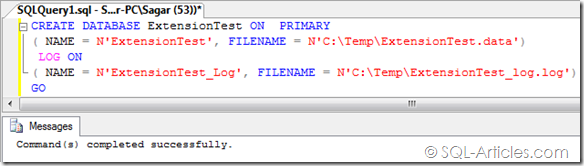
- Creating a database with different extension
CREATE DATABASE ExtensionTest ON  PRIMARY
( NAME = N'ExtensionTest', FILENAME = N'C:TempExtensionTest.data')
 LOG ON
( NAME = N'ExtensionTest_Log', FILENAME = N'C:TempExtensionTest_log.log')
GO
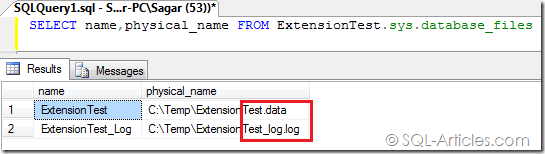
- Verifying the database files
SELECT name,physical_name FROM ExtensionTest.sys.database_files
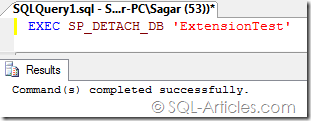
- Lets detach and attach the database
EXEC SP_DETACH_DB 'ExtensionTest'
EXEC SP_ATTACH_DB 'ExtensionTest','C:TempExtensionTest.data'
    ,'C:TempExtensionTest_log.log'
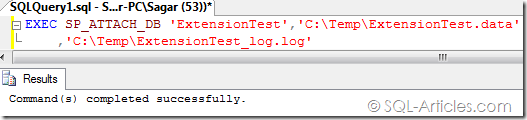
From this test you understood that extension doesnt matter for SQL Server, its only for our understanding. I dont mean you need to create your database with your own extension, Im just sharing a information that SQL Server can also attach a primary file with different extension. Its always better to have correct extension so that it will be easier for our understanding 
Leave a Reply